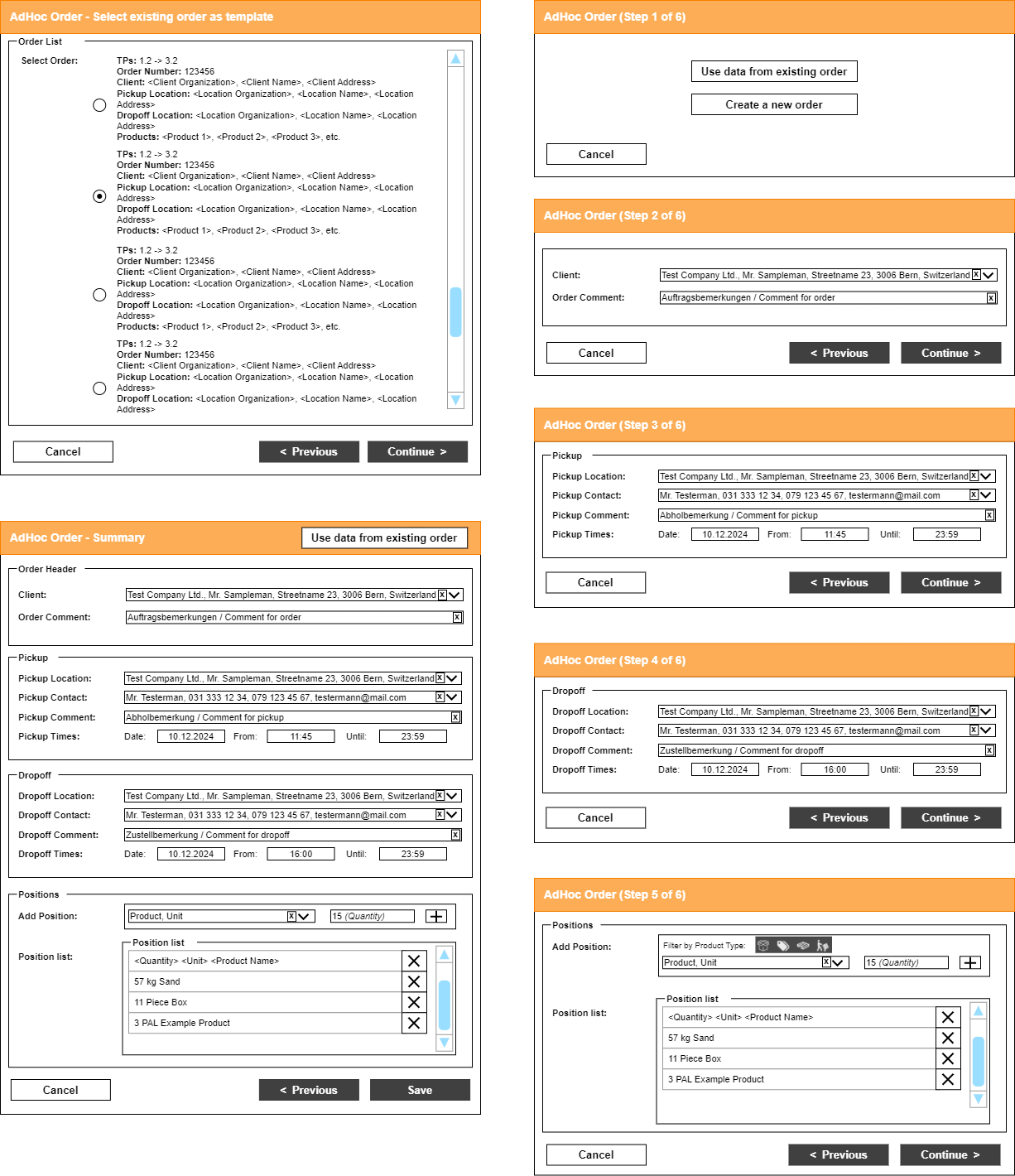
AdHoc Order
AdHoc order entry, workflow and options.
An AdHoc order is an order created by the driver in the Driver App for one of the following reasons:
- The customer's wish to split the order directly at the supplier.
- Weight or volume restrictions of the truck model for certain roads that could not be planned by dispatch.
- The customer's immediate need to add additional pickup/delivery locations during tour execution.
The AdHoc order can only be placed at the end of the tour.
With the new AdHoc order entry (AdHoc 2.0), the driver is guided through master-data-based order entry, with options such as Load only, Unload only, or to create and use new master data. This wizard can be configured in Settings.
A comment that the driver enters in the AdHoc order (AdHoc 2.0) is saved in the created order as Shipment notes. Dispatch sees it there in the Shipment notes field.